
How to Choose a Sewing Projector
What Is Projector Sewing?
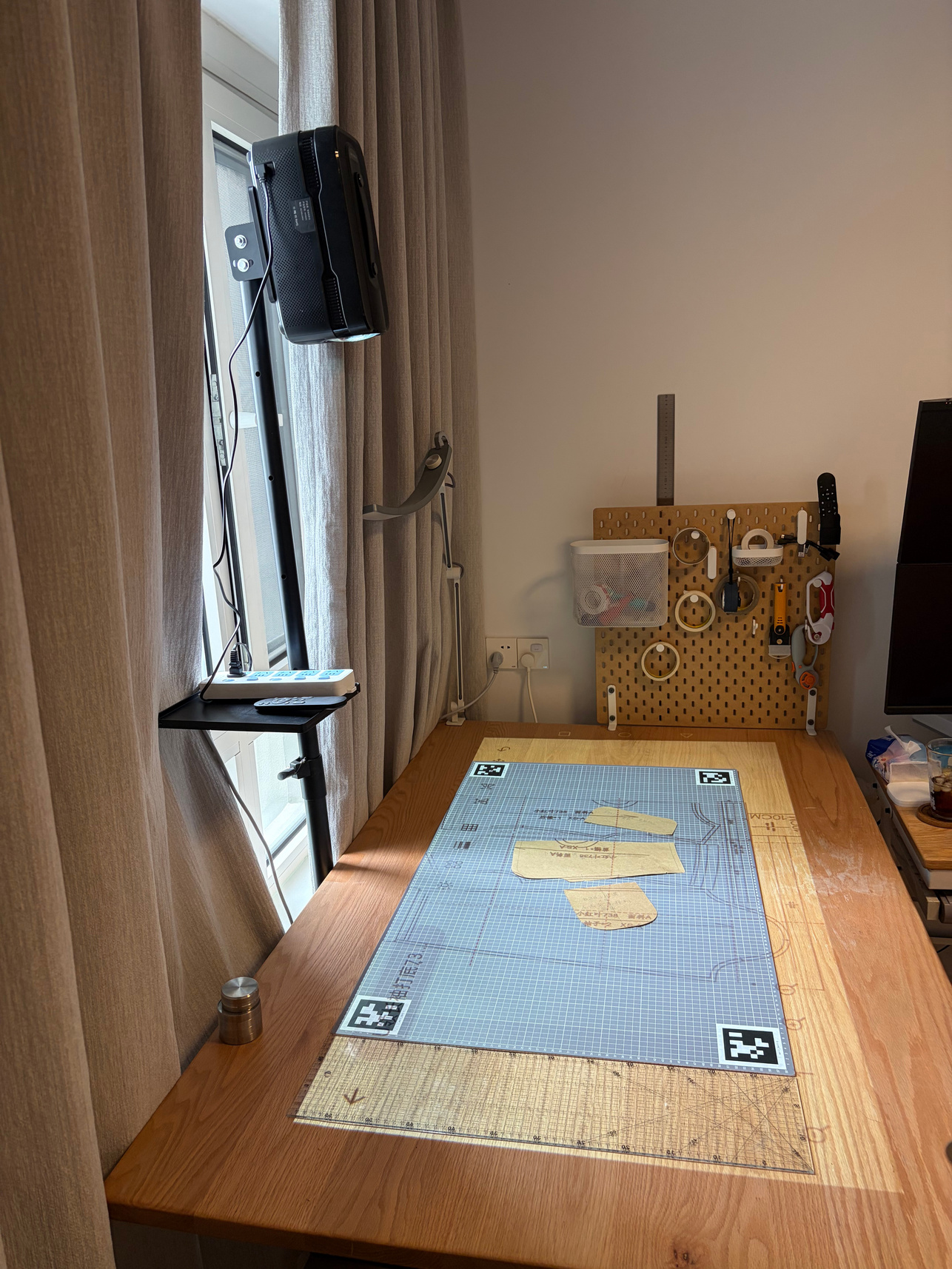
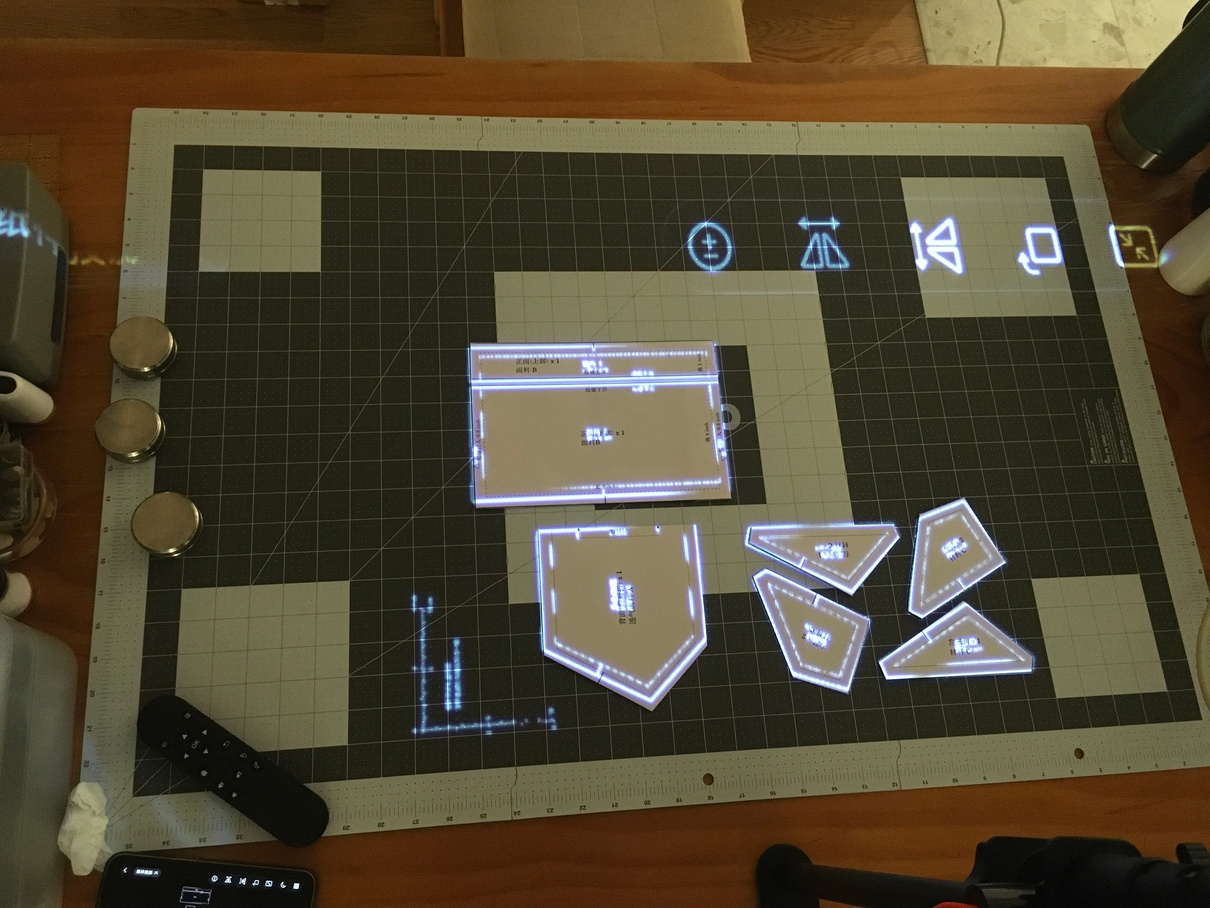
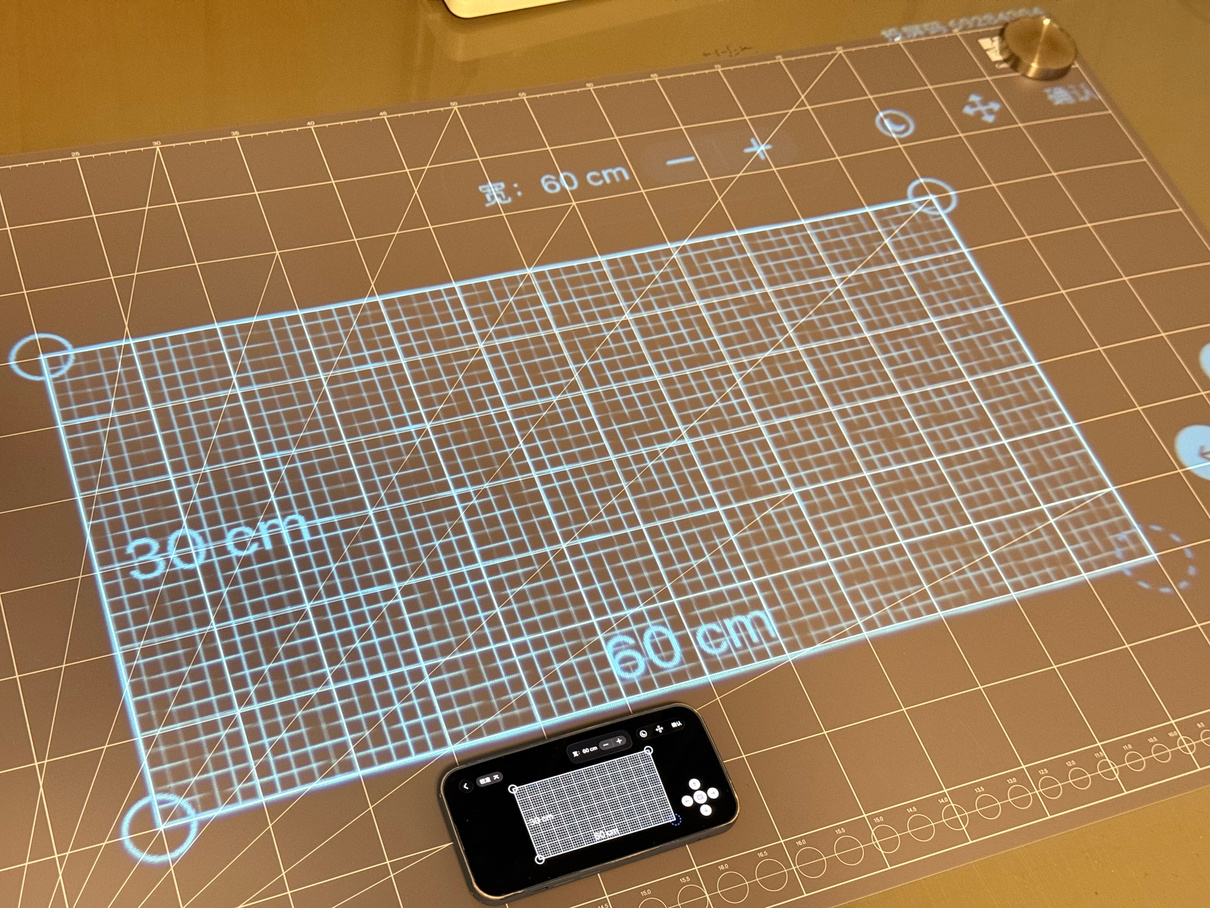
Projector sewing is an innovative sewing technique that projects digital patterns directly onto fabric for fast cutting. Setup and digital calibration can be completed in just a few minutes, greatly simplifying the traditional process of using paper patterns.
- Save Time: No need to print, assemble or store paper patterns.
- Improve Accuracy: Digital calibration ensures accurate pattern dimensions.
- Adjust Flexibly: Easily rotate, flip and resize patterns.
- Eco-Friendly and Economical: Reduce paper waste and lower material costs.
- Save Space: No longer necessary to store large quantities of paper patterns.
Throw Ratio
Short-Throw Projectors Are Recommended
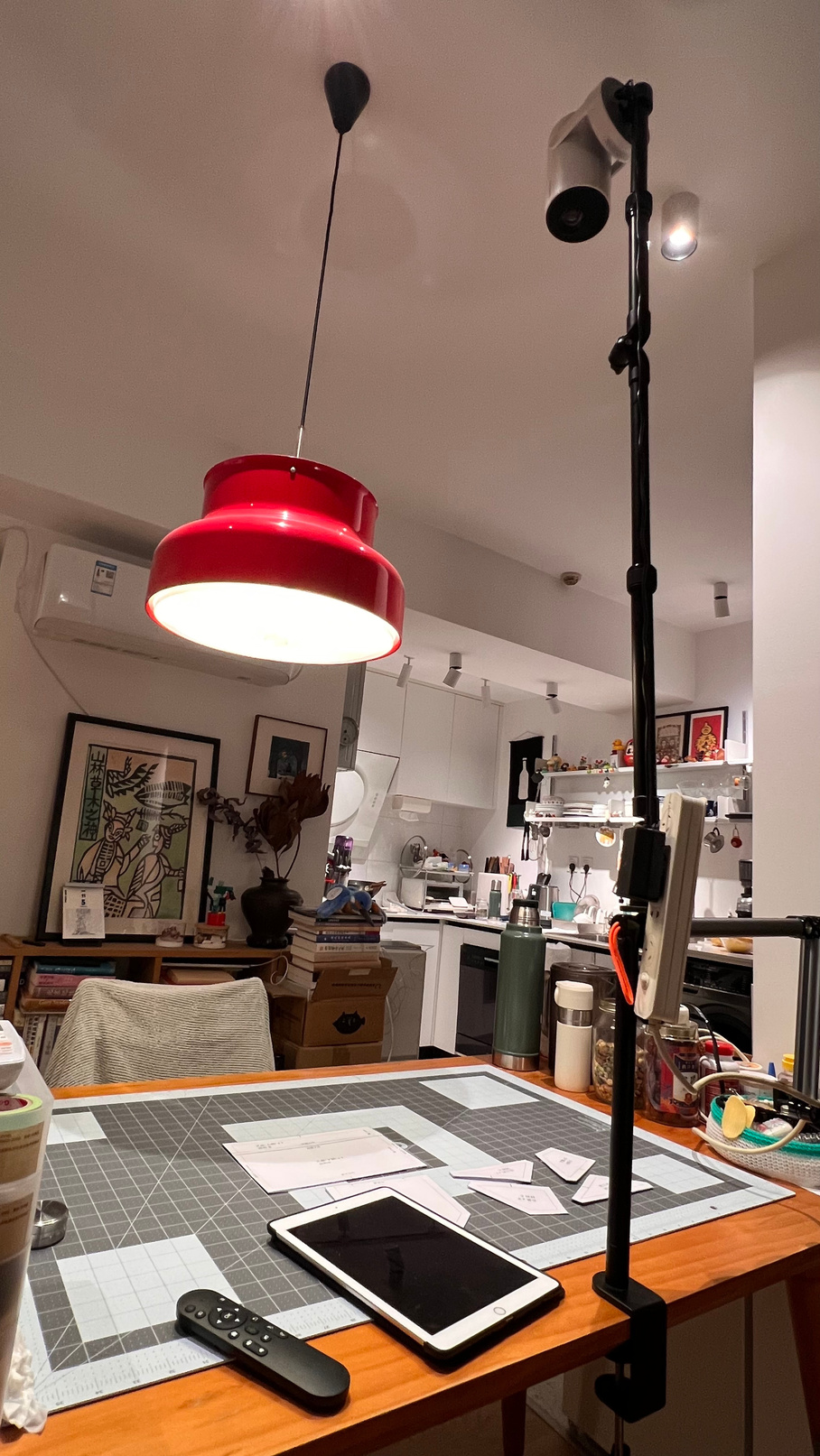
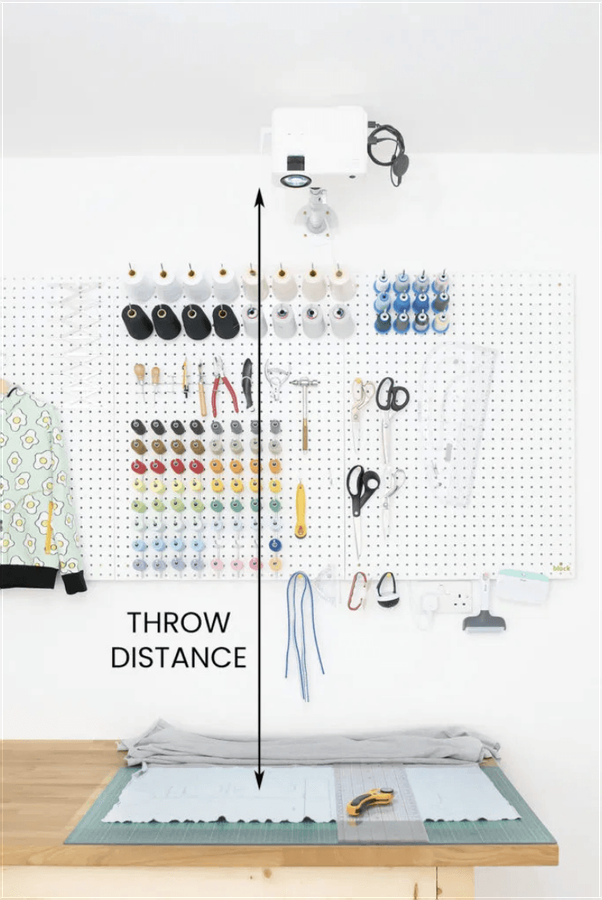
The smaller the throw ratio, the lower the projector can be installed, making installation easier. A projector with a throw ratio below 1.2:1 is recommended, preferably a short-throw projector below 1.0:1.
Short-Throw Projector
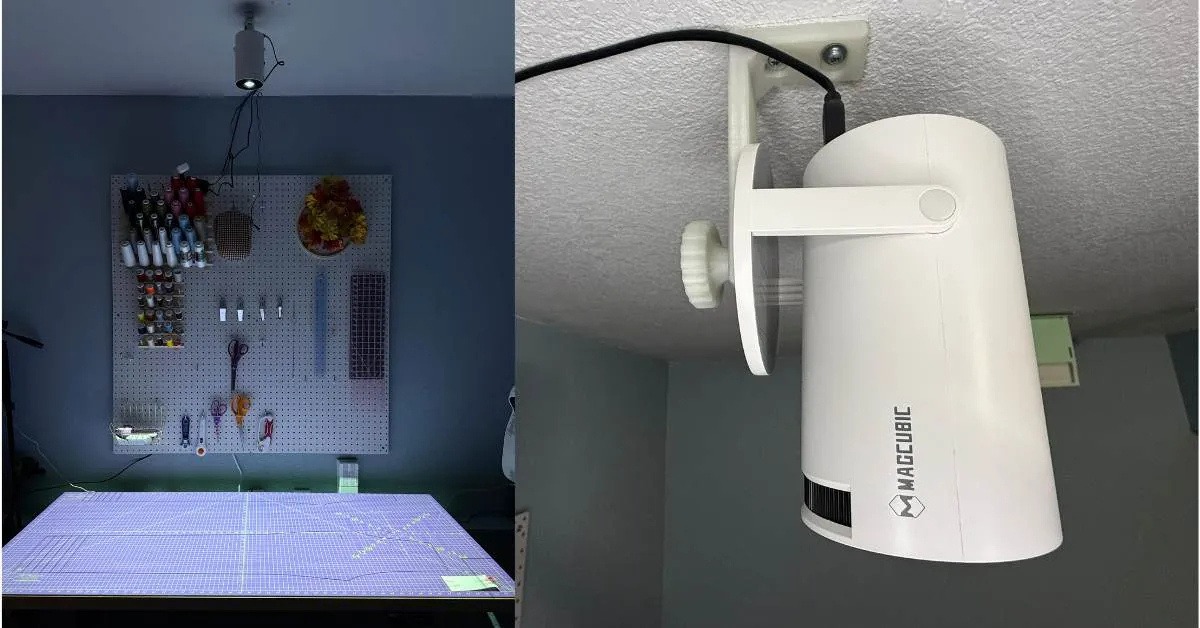
A short-throw projector with a throw ratio below 1.0:1 is recommended. With a stand taller than 1.2 meters, it can project an approximately A1-size pattern onto a tabletop.
Short-throw projectors offer the following advantages:
- It is easier to find a suitable stand
- The projector is more stable after installation
- The projector power cable is easier to connect
If the Budget Allows, Choose an Ultra-Short-Throw Projector
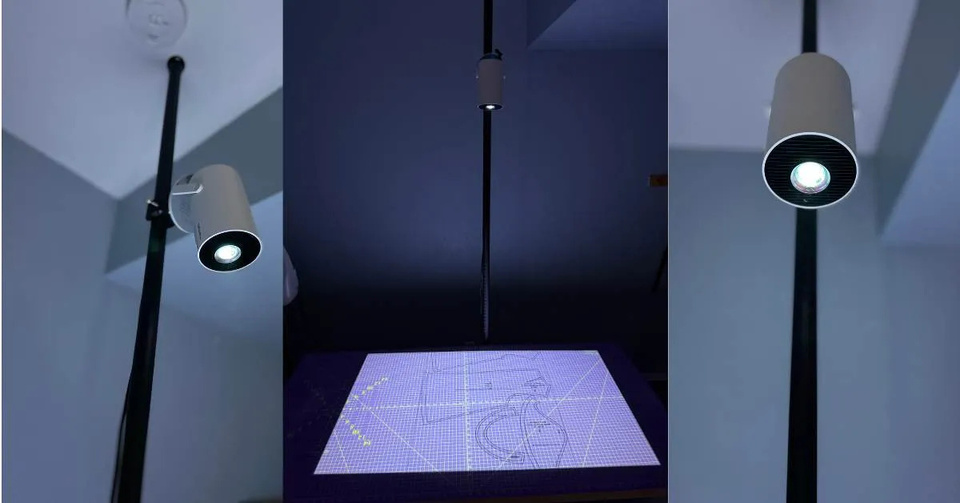
An ultra-short-throw projector below 0.3:1 is even easier to install.
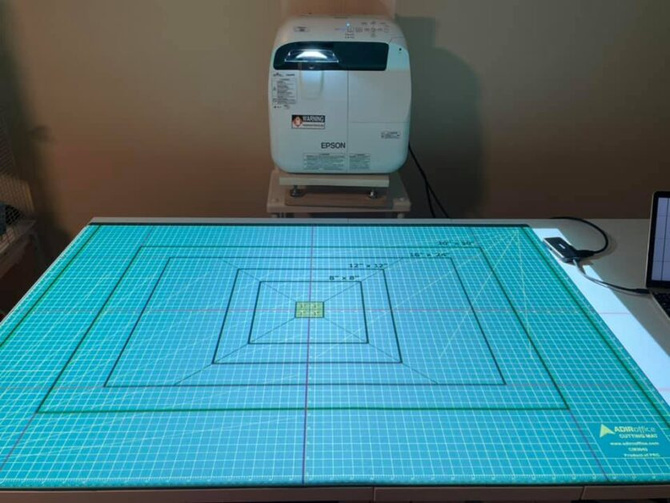
Ultra-Short-Throw Projector
An ultra-short-throw projector with a 0.3:1 throw ratio is, of course, better. It only needs to be positioned slightly above the tabletop to project an image large enough for tabletop projection. However, ultra-short-throw models are also more expensive.
Ultra-short-throw projectors offer the following advantages:
- No stand is required; temporarily stacking a few books is enough
- Easy to move and remove
- No need to worry about the projector power cable being too short
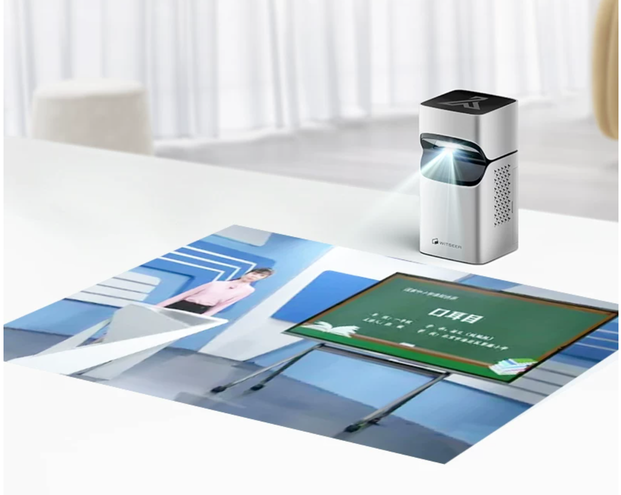
Huishi NanoPro
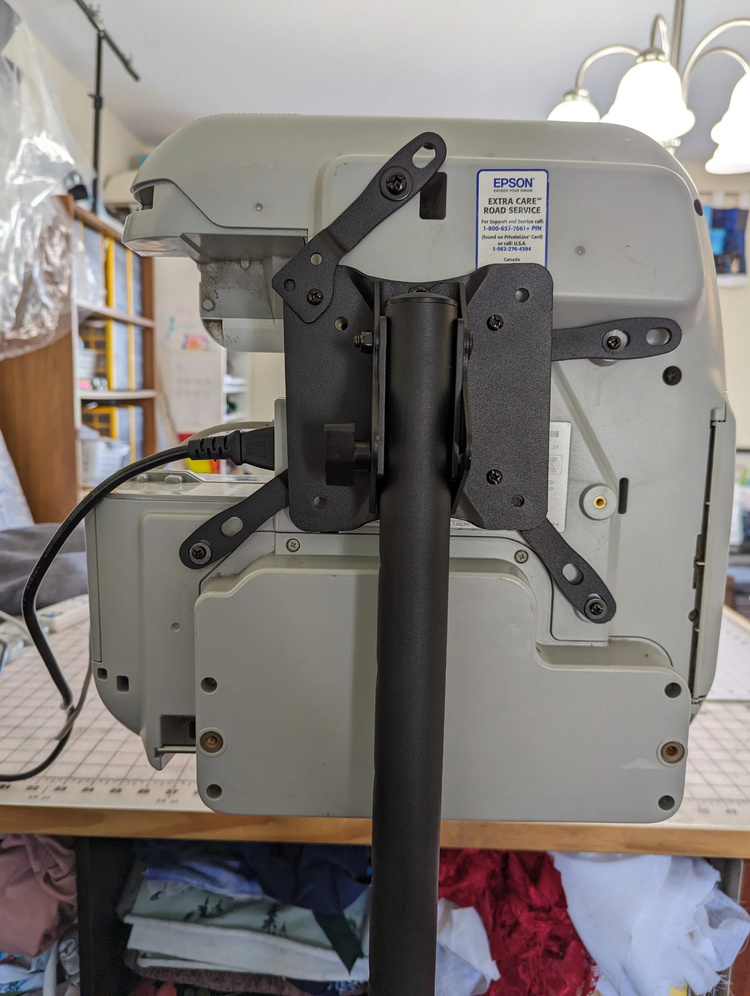
Epson 470/595Wi
Resolution and Brightness
Entry-Level Resolution and Brightness Are Sufficient
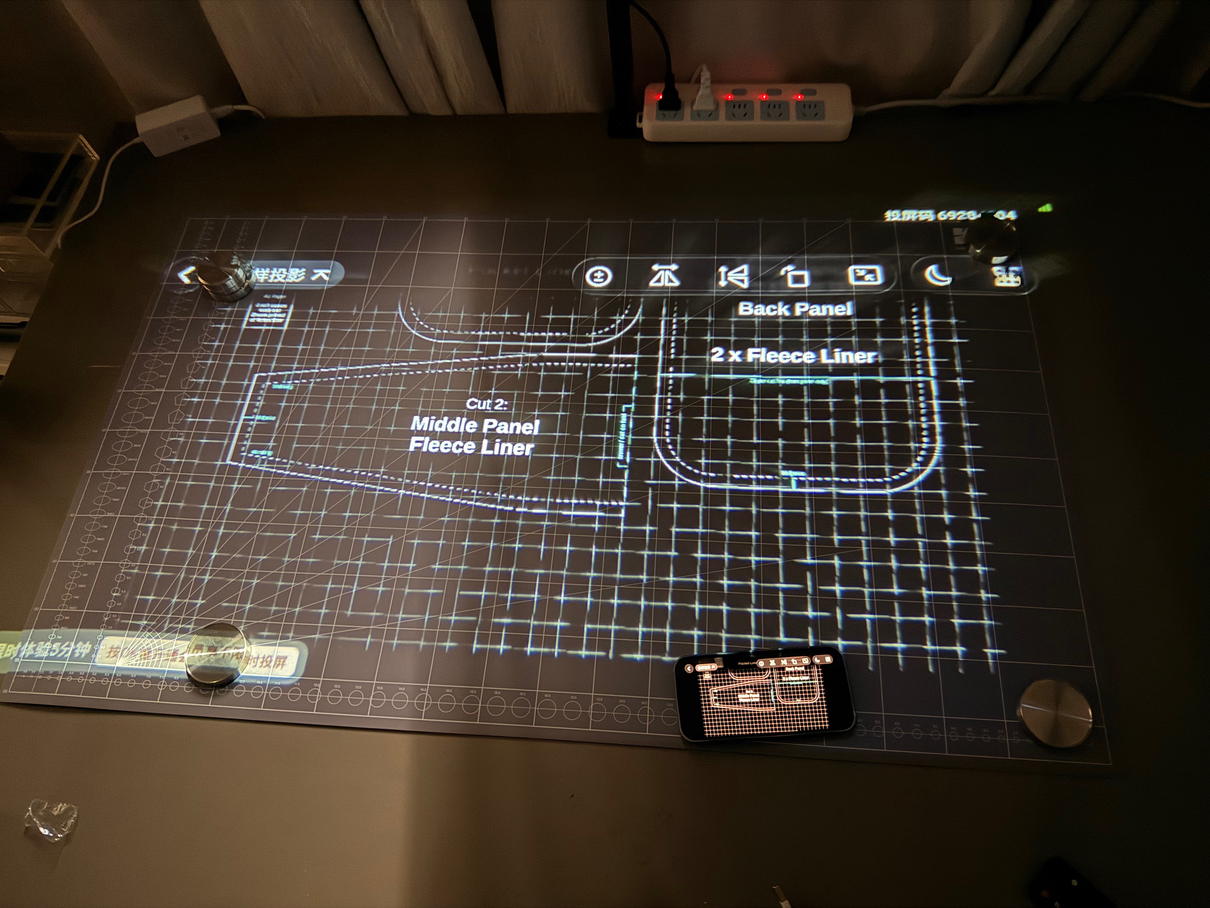
720P is usable, and 1080P is already good enough. There is no need for a higher resolution. The brightness only needs to be adequate; if the image is a little dim, you can turn off the lights. In short, an entry-level model is all you need.
Resolution
Resolution determines image clarity. Pattern graphics are simple. A 720P projector, or a slightly better 1080P projector, can meet the needs of pattern projection. Be sure to ask about the optical resolution. Some manufacturers state that a projector supports a compatible resolution of 1080P, while its actual optical resolution is only 720P.
Brightness
Greater brightness produces better results under strong ambient light. However, there is no need to pursue extremely high brightness. If the image is too dim, you can turn off the lights. Brighter projectors are also more expensive.
Size and Mounting Interface
Compact Home Projectors Are Easy to Install
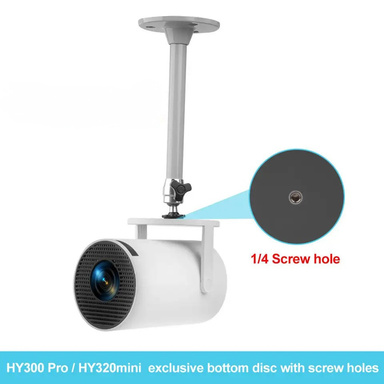
Compact projectors are easier to install. Whether ceiling-mounted or installed on a stand, make sure you understand the stand connector. If the stand uses a 1/4-inch screw, the projector needs a 1/4-inch screw hole.
Screen-Casting Capability
Mirror Your Phone to the Projector
The projector should ideally support both wireless and wired casting so that you can choose the more suitable method in different situations. Use a wired connection for long sessions and wireless casting for short sessions.
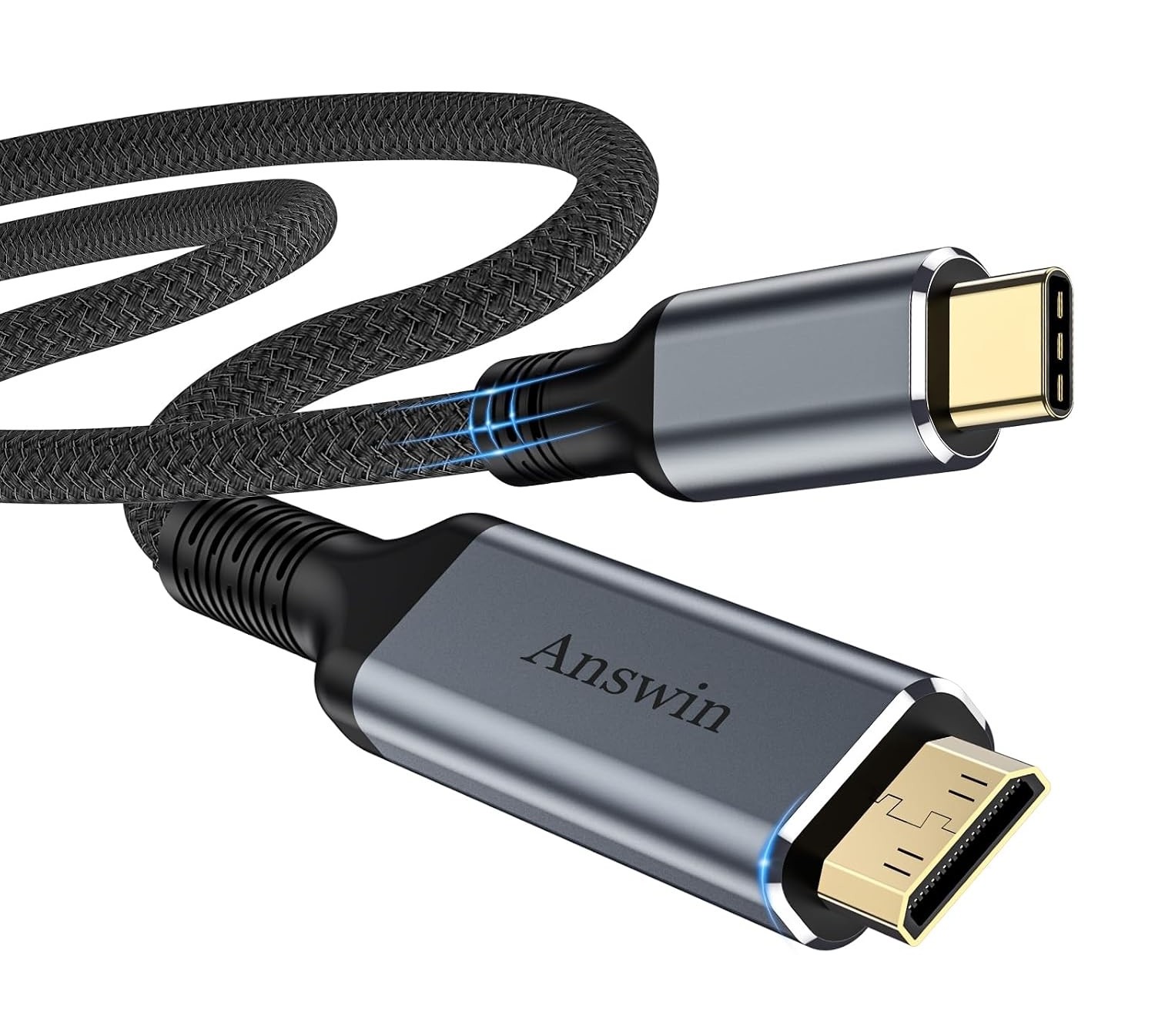
Wired HDMI Connection
The projector needs an HDMI port. An HDMI cable provides a stable and reliable connection with high signal-transmission quality, making it suitable for long working sessions. Check the projector specifications to confirm that it has an HDMI port.
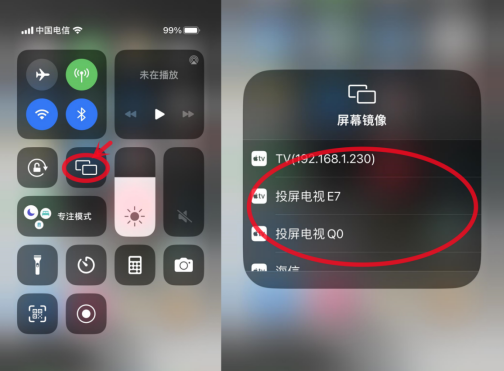
Wireless Connection
The projector needs to support screen casting. The projector should ideally include free casting software. Otherwise, you may need to download paid casting software such as Dangbei Casting. Ask customer service whether free casting software is included.
HDMI
Summary
Choose the Right Projector
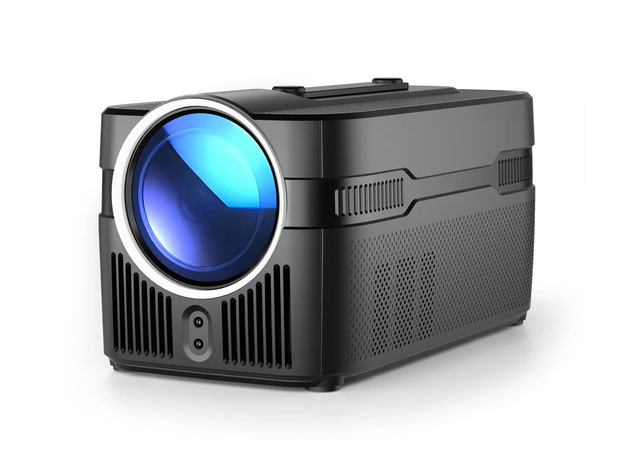
Almost any projector can be used for sewing projection. The key is to choose one with suitable resolution, throw ratio and size that is easy to install. A phone should be able to cast to it through both wired and wireless connections.
- Throw Ratio < 1.2:1: The smaller the throw ratio, the shorter the distance needed to project an image of the same size. A projector below 1.2:1 is recommended. An ultra-short-throw projector below 0.3:1 can support tabletop projection, but it is also more expensive.
- Resolution >= 720P: 720P is sufficient. 1080P is already good enough. There is no need for a higher resolution. The brightness only needs to be adequate.
- Compact and Easy to Install: Compact projectors are easier to install. If the stand uses a 1/4-inch screw, the projector should ideally have a 1/4-inch screw hole.
- Supports Wired and Wireless Casting: The projector should ideally support both wireless and wired casting so that you can choose the more suitable method in different situations.
Recommended Sewing Projectors
Magcubic HY300Pro
- Resolution: 720P; brightness: 200 ANSI; throw ratio: 0.9:1
- 1/4-inch screw hole; 180-degree adjustment; weight: 0.53 kg
- HDMI port; the system supports free screen casting
Magcubic HY310
- Resolution: 1080P; brightness: 260 ANSI; throw ratio: 0.8:1
- 1/4-inch screw hole; 180-degree adjustment; weight: 0.61 kg
- HDMI port; the system supports free screen casting
Magcubic HY450C
- Resolution: 1080P; brightness: 900 ANSI; throw ratio: 0.6:1
- Four 5 mm screw holes; weight: 2.2 kg
- HDMI port; the system supports free screen casting
- Supports off-axis projection, making perpendicular projection easier
Jizhe ZIP Tri-Fold Projector
- Resolution: 720P; brightness: 100 ANSI; throw ratio: 1:09:1
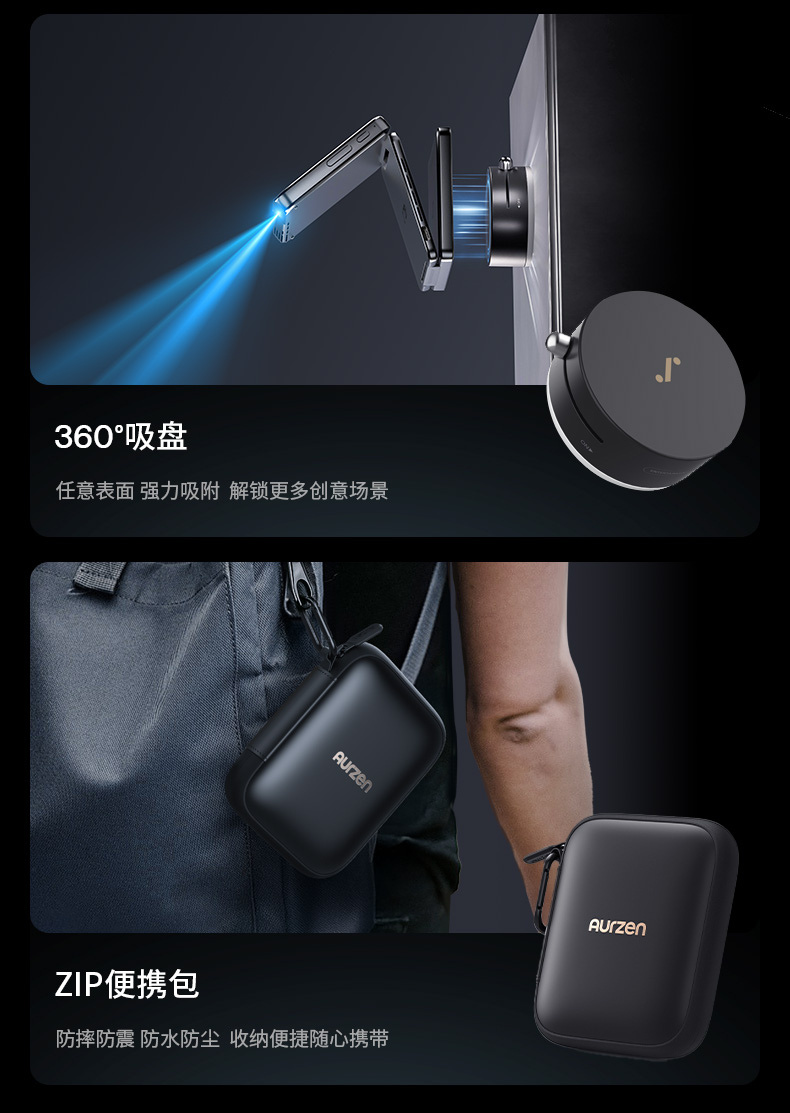
- 360-degree suction-cup installation; compact at only 280 grams
- Type-C video port; the system supports screen casting
Join the Coutto Sew Community
Search for “纽扣缝纫” on Xiaohongshu to find us. Whether you are a beginner or an experienced user, the Coutto Sew community can provide the support and resources you need.
- An active community of experienced users
- Get help and answers to questions
- Share experience and tips
- Learn about updates and features of the Coutto Sew